Merge accounts
Use this guide when you want to keep one Soraiah account and link another sign-in method to it.
Before you start
- Sign in to the account you want to keep.
- Make sure you can still sign in to the other account you want to merge.
- Make sure both accounts belong to you.
- Review carefully before confirming. Account merging cannot be undone.
How to merge accounts
- Open Dashboard.
- Go to Settings.
- In Sign-in methods, choose Link next to the available provider.
- Sign in to that provider to prove you own the other account.
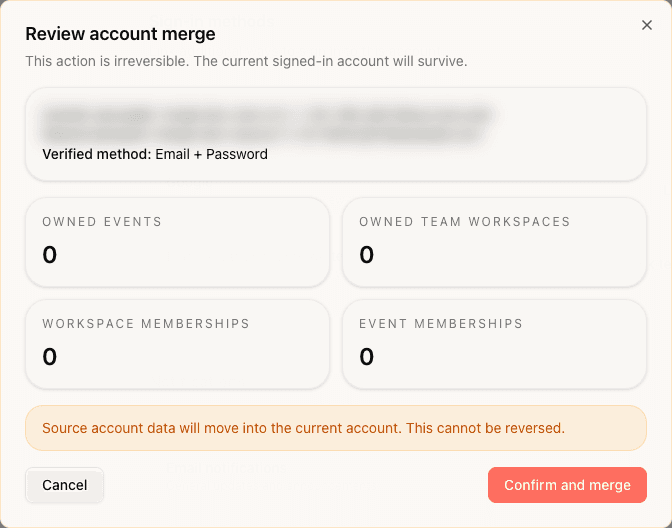
- Review the merge summary carefully.
- Confirm the merge.
- Sign in again after Soraiah signs you out.
What happens after the merge
- The account you were signed in to stays as your main account.
- Your current account email stays the same.
- Data from the linked account moves into the current account.
- Future sign-ins can use the linked provider on the same account.
- The action cannot be reversed from settings.
If the merge screen expires
Start again from Settings and repeat the linking flow.